📸 SpeakCamera
Control your iPhone camera announcements with easy one-tap shortcuts
SpeakCamera
Enable voice announcements for your camera. Perfect for accessibility and listening to plaques in museums.
Install ShortcutHow to Install
- Tap the "Install Shortcut" button above
- Review the shortcut actions in the Shortcuts app
- Tap "Add Shortcut" to install
- Run the shortcut from your Shortcuts app, home screen, or Action Button on newer iPhones
Visual Guide: Add to Home Screen
Follow these steps to add shortcut widgets to your home screen for quick access:
1
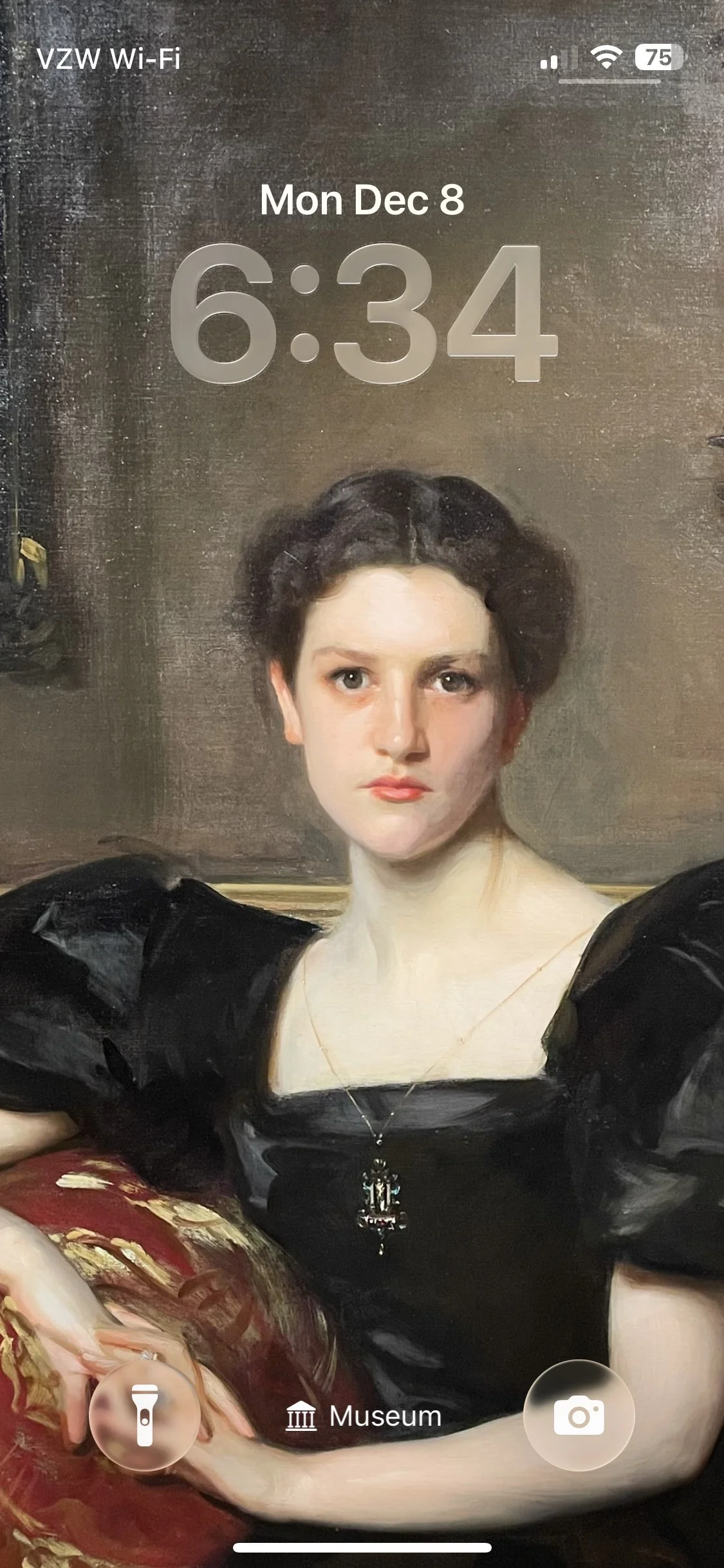
Long press on your home screen until apps jiggle
2
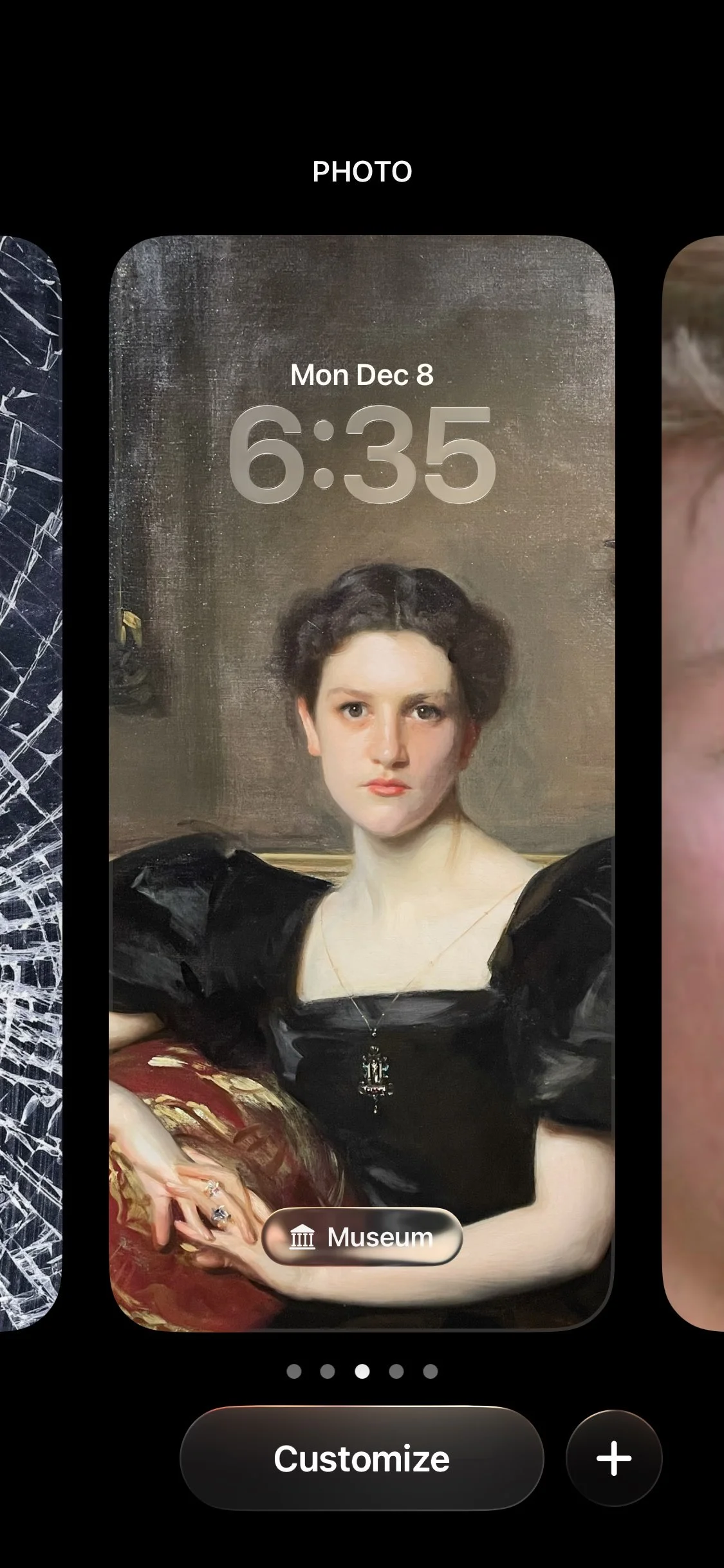
Click "Customize" at the bottom
3
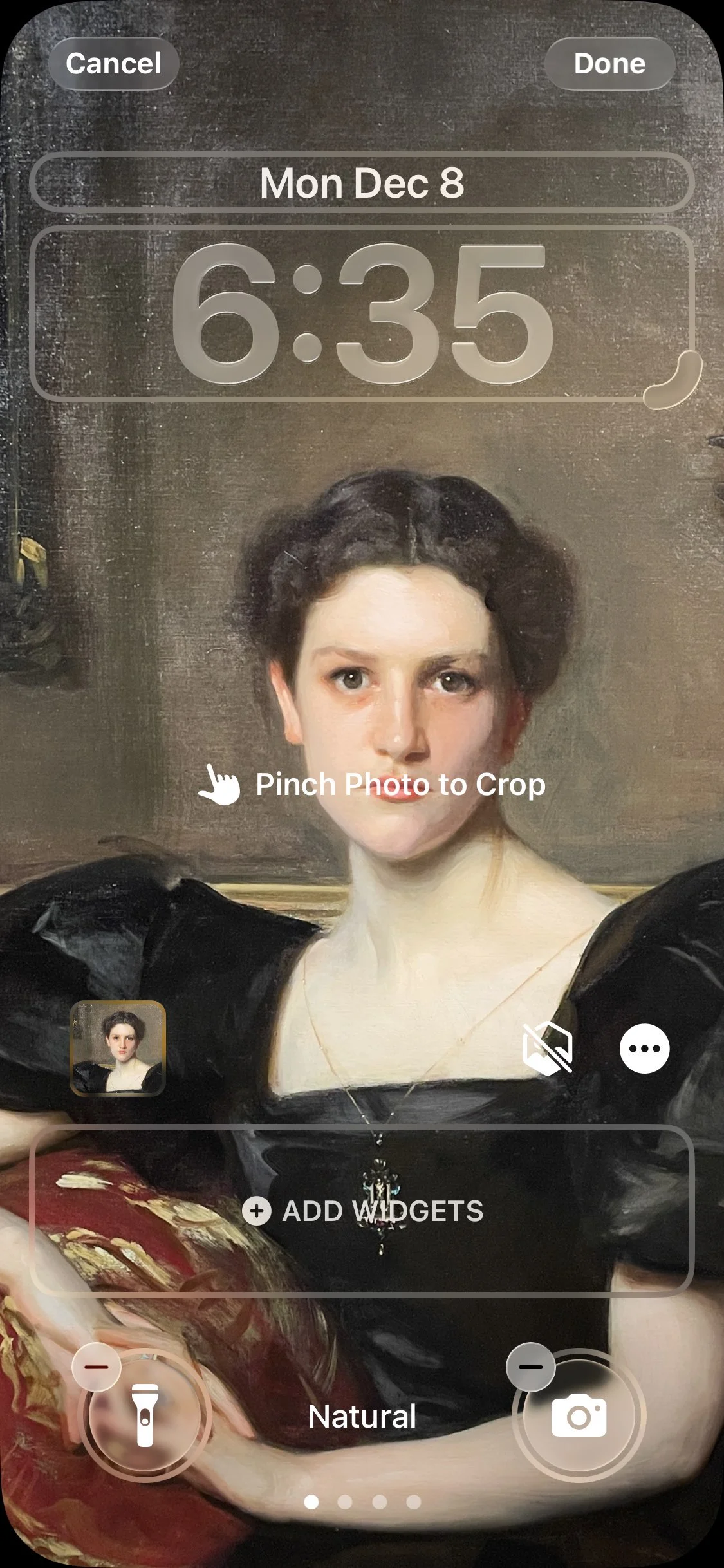
Click "Add Widgets" at the bottom
4
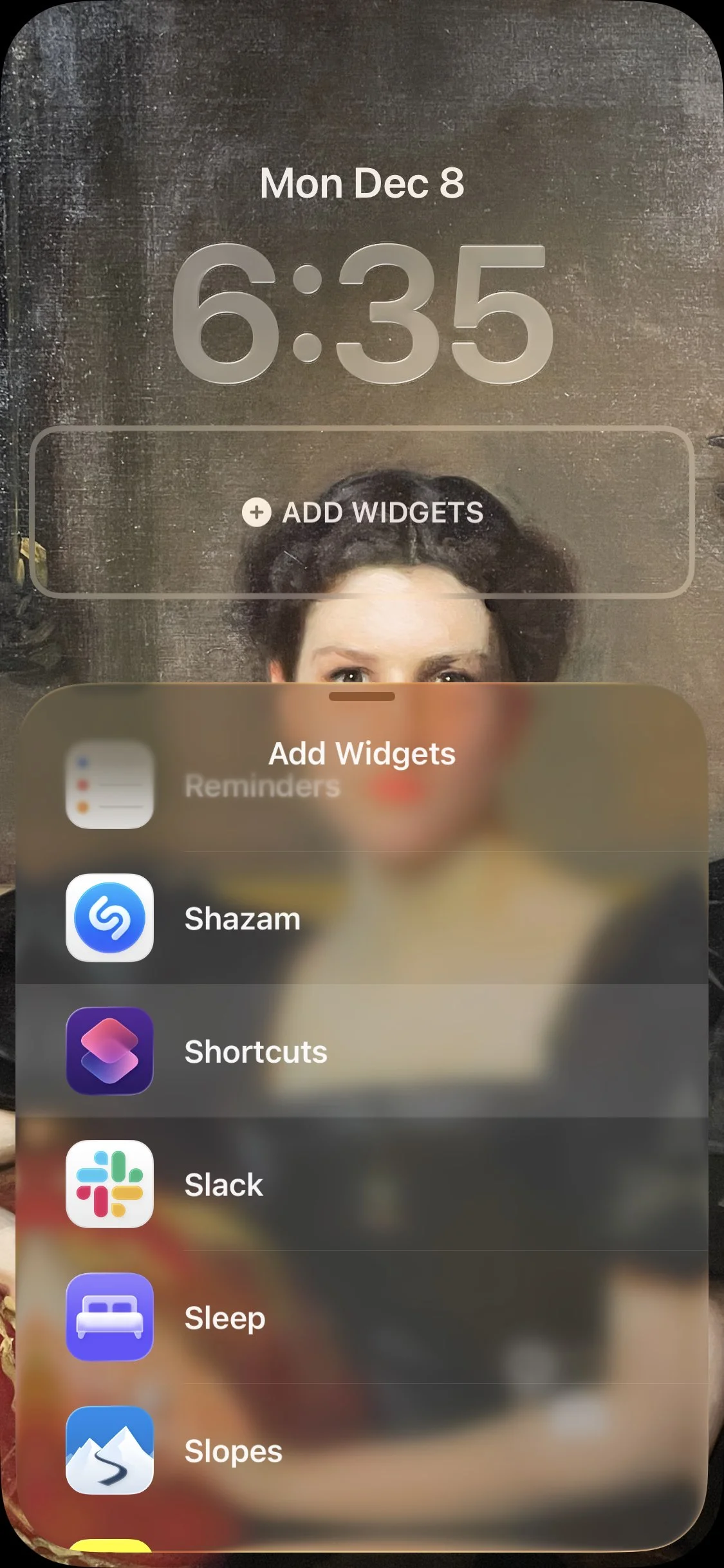
Scroll down until you find Shortcuts
5
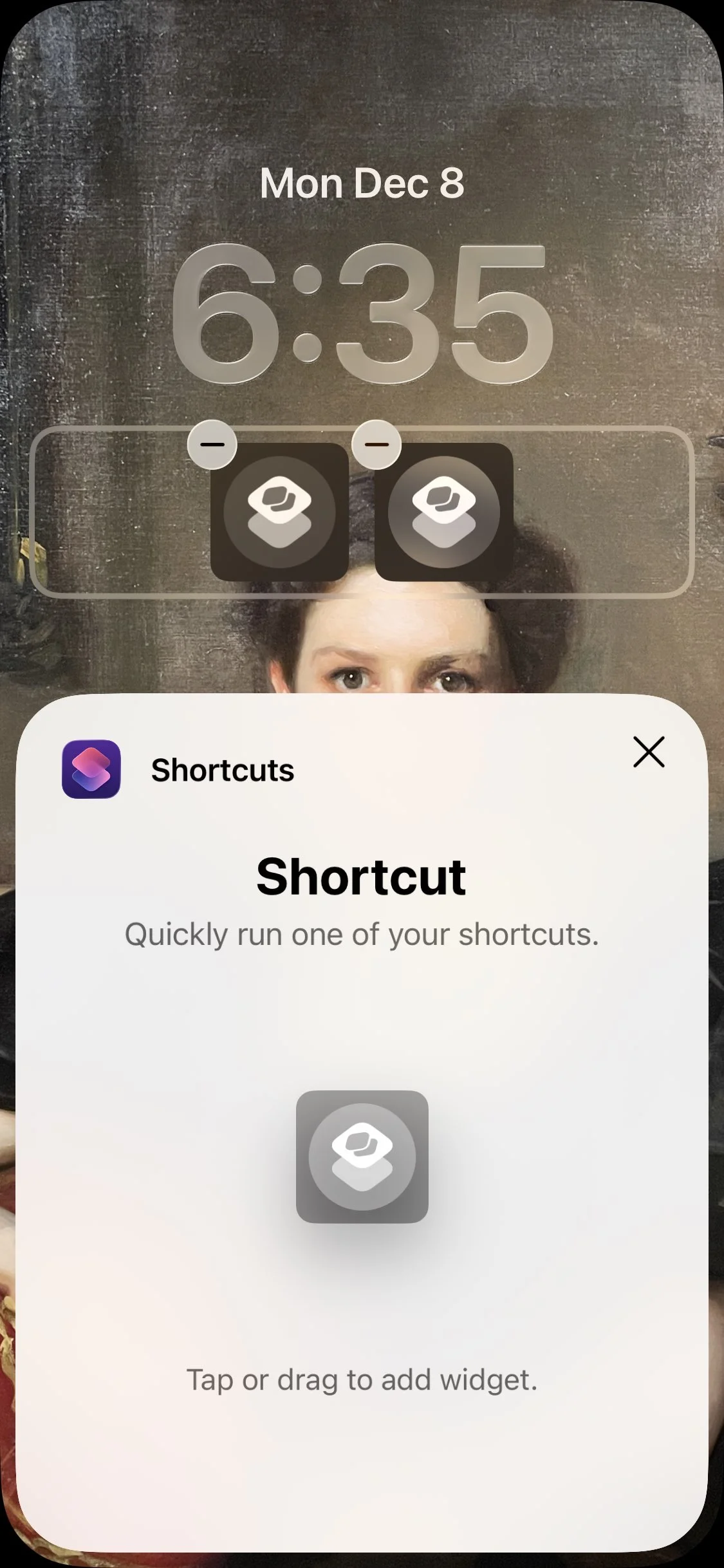
Click the icon in the center of the display twice to add two buttons then click the X, then click the icon in the widgets bar on the left
6
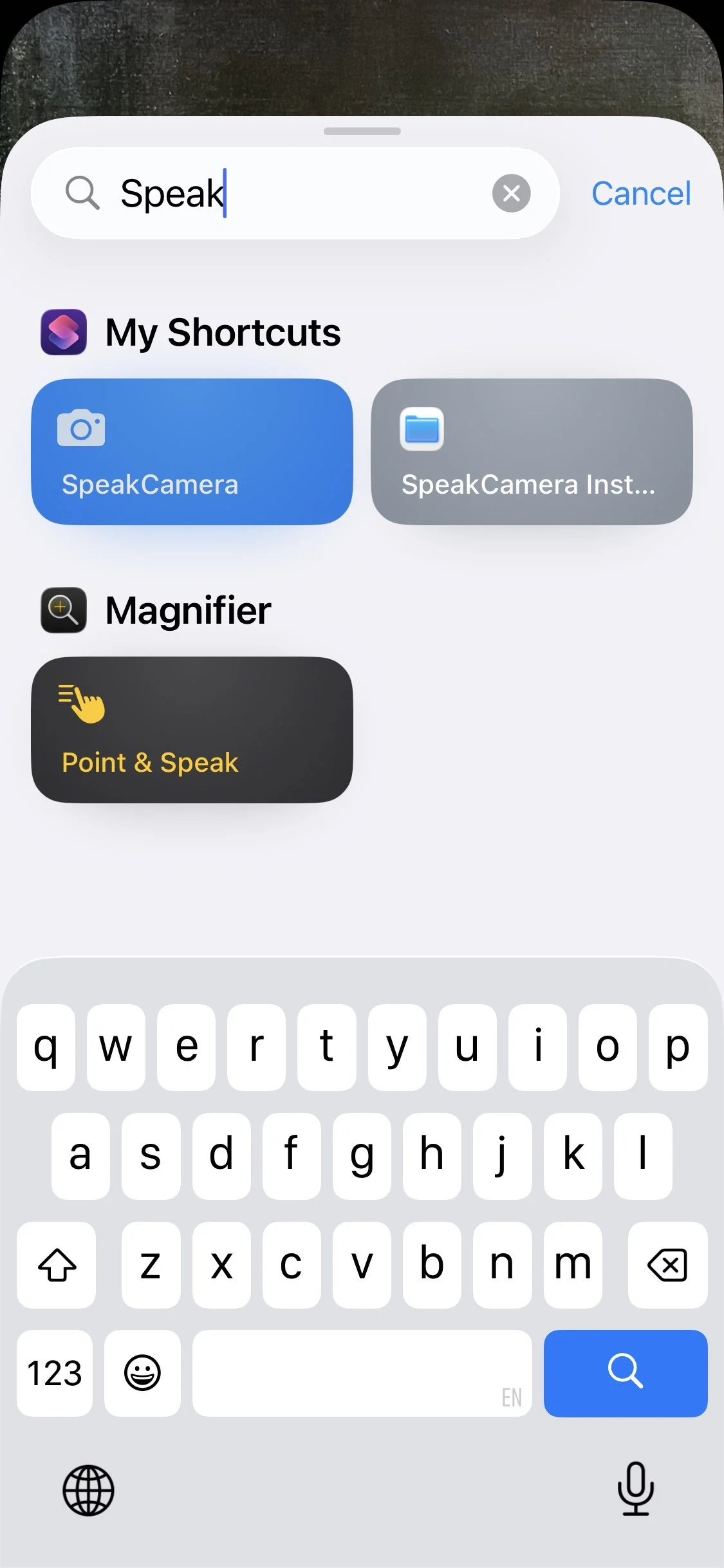
Select which shortcut to run (SpeakCamera)
7
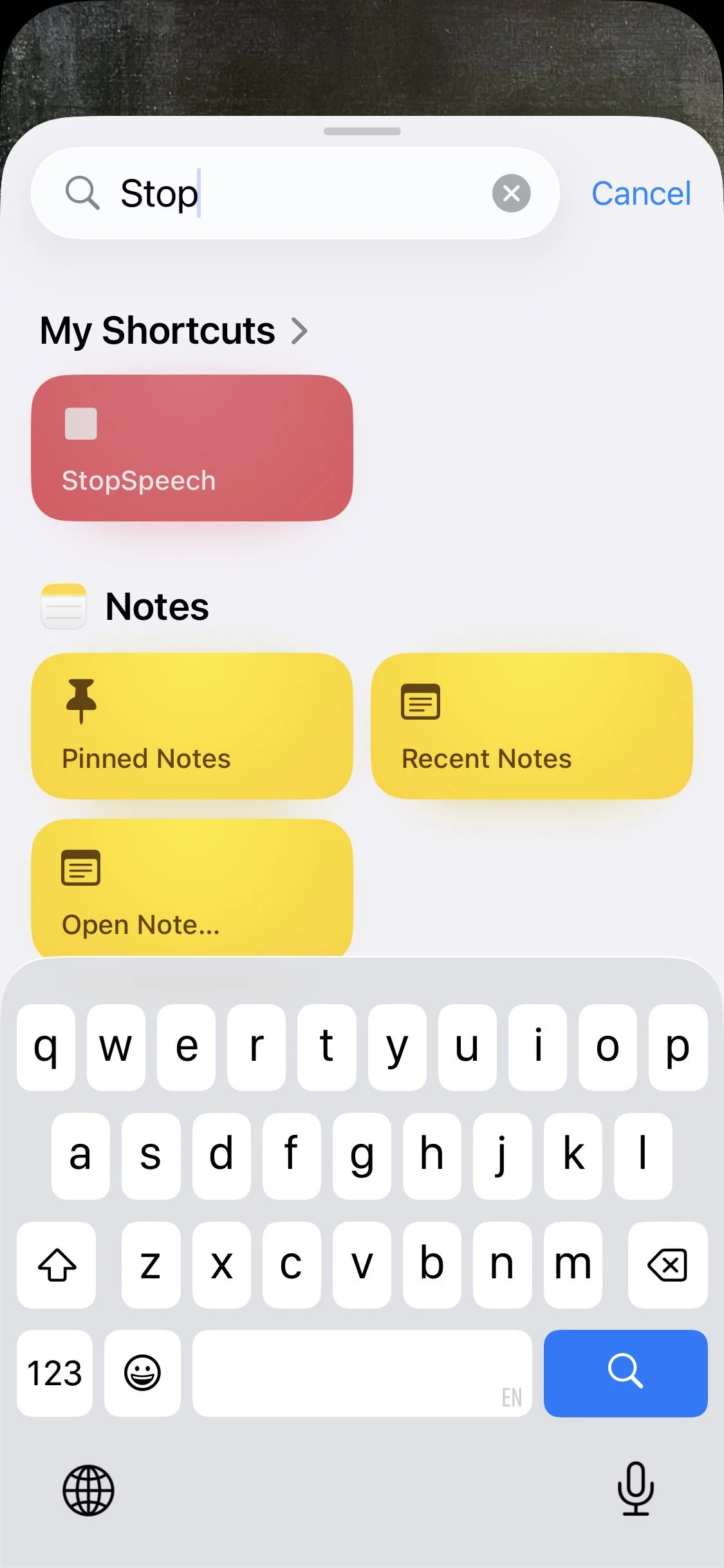
Repeat the process to add the second shortcut widget on the right, StopSpeech
1 / 7
Features
- One-tap activation for camera speech
- Quick mute with StopSpeech shortcut
- Perfect for accessibility needs, museums, and books
- Works with native iPhone Shortcuts app
- No additional apps required